Warehouse, production, label, stock and asset software that works with the barcode printers, scanners and mobile computers we supply, plus ready-to-install apps.
Honeywell · Corded hands-free (presentation) scanner, laser and area imager
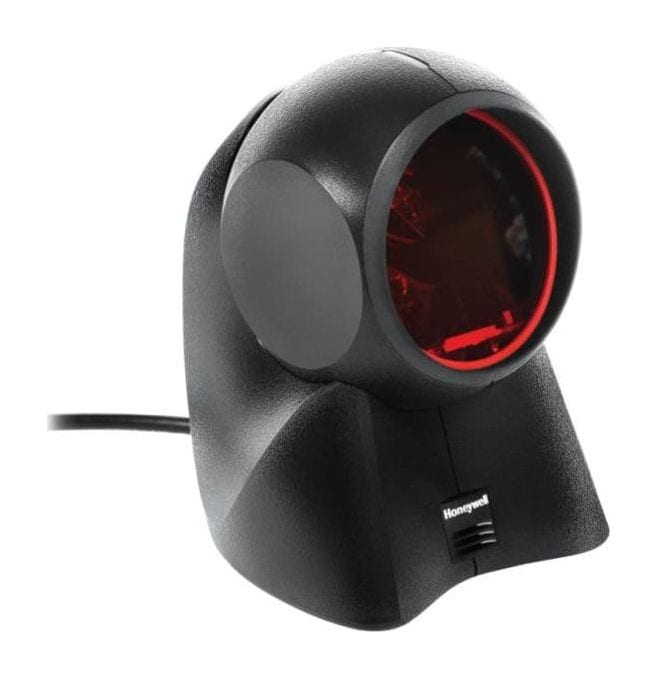
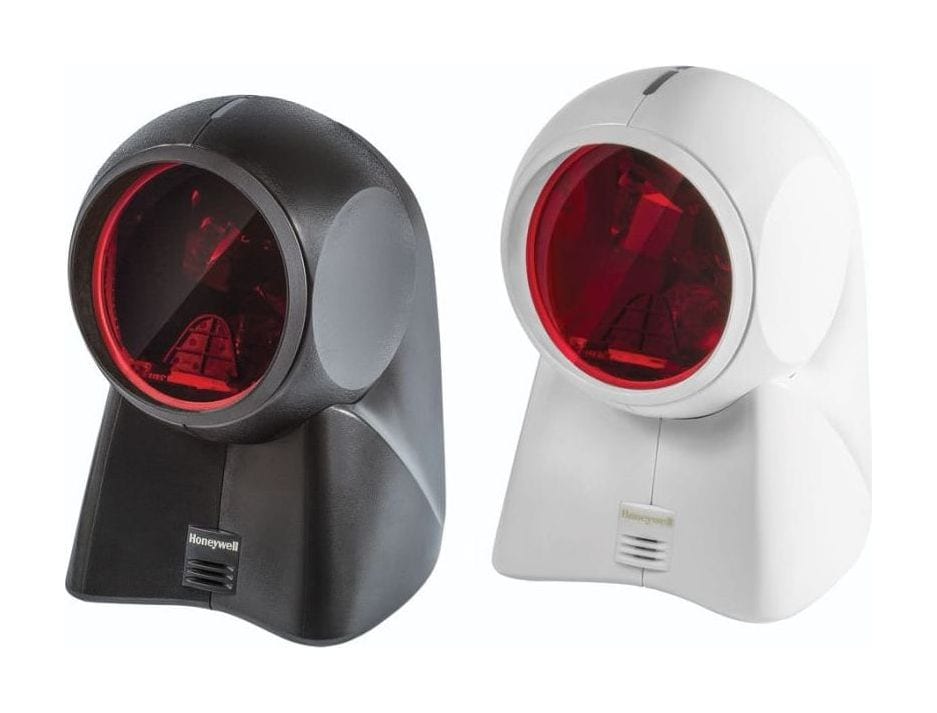
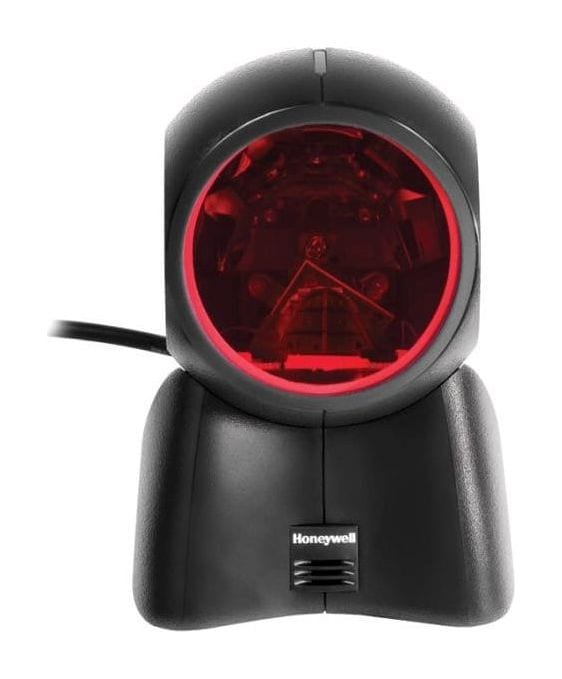
Honeywell Orbit 7190G
A corded hands-free counter scanner that combines Honeywell's 20-line Orbit laser for product barcodes with an area imager for 2D codes and codes on customers' phones.
Scan engine
20-line omnidirectional laser + 640 × 480 area imager
Orbit 7190g price in India: ask our team for today's competitive price. Share your requirement and budget, and we will help you choose the right configuration and send a written quotation with current pricing and delivery time.
Covered by the manufacturer's warranty. The warranty period, terms and conditions are as declared by Honeywell.
One counter scanner for product barcodes and phone codes
The Orbit 7190g is Honeywell's hybrid presentation scanner: it keeps the omnidirectional laser of the Orbit series for printed product barcodes and adds an area imager for 2D codes and codes shown on customers' phones, so a billing counter needs one scanner instead of two.
Laser and imager in one scanner
A 20-line omnidirectional laser (5 fields of 4 parallel lines) reads printed 1D barcodes and GS1 DataBar as items pass, and a 640 × 480 area imager reads 1D, PDF and 2D codes. Honeywell's point: no separate scanner for digital codes.
Reads codes on customers' phones
Honeywell designs two working modes, one for the cashier scanning merchandise and one for customers showing a code on a phone, and avoids shining the laser and LED light at the customer. The quick start guide adds a 'Presentation - Mobile Phone' mode tuned for phone and LED screens.
Quick pass-through at the counter
The laser sweeps 1,120 scan lines per second and the imager runs at 30 frames per second, so cashiers pass items over the window instead of aiming at each code.
Tilt the head for larger items
The scan head tilts within a 30° range, so the cashier can point it at a larger product or an awkward pack without lifting it off the counter.
Plugs into most billing systems
USB, RS-232, keyboard wedge and IBM 468xx (RS485) are on board, and automatic interface detection sets the scanner for the port it is plugged into. On USB it draws its power from the computer, so no separate power supply is needed.
EAS version for stores with security tags
Honeywell lists an EAS model with an integrated RF EAS antenna and EAS interlock, for counters that deactivate security tags while scanning. Tell us if you need it, because it is a different model from the standard one.
Used in
Retail billing counters
Supermarket and grocery checkouts
Convenience and kirana stores
Restaurants and quick-service counters
For buyers in India
Using the Orbit 7190g in India
These are the points buyers in India ask us about the Orbit 7190g. Mention the ones that apply to you when you request a quote.
Rated 0 °C to 40 °C; keep it on a shaded counter
Keep the counter out of direct sun from a shop front or shutter. Honeywell rates the Orbit 7190g to work from 0 °C to 40 °C in 5% to 95% humidity, non-condensing.
Reads the QR code on GST e-invoices and on customers' phones
The imager reads 2D codes; Honeywell rates a 20 mil QR code from 0 to 200 mm. What happens to the scanned text depends on your billing software, so tell us which one you use.
Using an RS-232 POS? Plan a power supply
Honeywell's quick start guide says an RS-232 connection must use the power supply, which is ordered separately; on USB the scanner takes its power from the computer. Tell us which port your POS uses, and we quote the right cable and, for RS-232, the power supply.
Hold items within about 20 cm of the window
Train cashiers to present items close to the scanner: Honeywell rates a 13 mil UPC from 0 to 275 mm on the laser and 0 to 245 mm on the imager.
Counter-top hands-free (presentation) scanner; scan head tilts within a 30° range
Connection
Corded
Scan modes (quick start guide)
Presentation; Presentation - Mobile Phone (for phone and LED screens)
EAS (EAS model)
EAS with interlock and integrated RF EAS antenna
Scanning
Scan pattern
Hybrid: omnidirectional laser (5 fields of 4 parallel lines) and area imager (640 × 480 pixel array)
Scan speed
Laser: 1,120 scan lines per second; imager: 30 frames per second
Imager scan angle
40.0° horizontal, 30.5° vertical
Pitch, skew
Laser: 60°, 60°; imager: 60°, 70°
Symbol contrast
35% minimum reflectance difference
Decode capability
Laser: standard 1D and GS1 DataBar; imager: standard 1D, PDF and 2D
Resolution
Laser: 5 mil; imager: 4 mil (1D), 6.7 mil (2D)
Light levels
Laser: 4,842 lux; imager: 100,000 lux
Typical decode ranges (Honeywell)
Laser: 5 mil Code 39
0 to 50 mm
Laser: 7.5 mil Code 39
0 to 150 mm
Laser: 10 mil Code 39
0 to 220 mm
Laser: 13 mil UPC
0 to 275 mm
Laser: 26 mil UPC-E
0 to 300 mm
Imager: 5 mil Code 39
0 to 70 mm
Imager: 13 mil UPC
0 to 245 mm
Imager: 6.7 mil PDF417
0 to 70 mm
Imager: 10 mil Data Matrix
0 to 75 mm
Imager: 20 mil QR
0 to 200 mm
Imager: 20 mil Code 39
0 to 327 mm
Conditions
Honeywell notes performance may be affected by barcode quality and environmental conditions
Connectivity and power
Host interfaces
USB, RS-232, keyboard wedge, IBM 468xx (RS485)
Interface set-up
Automatic interface detection on connection
Input voltage
5 V DC ±0.25 V
Operating power
472 mA at 5 V
Standby power
255 mA at 5 V
Power
Draws power through USB; an RS-232 connection needs the power supply (ordered separately)
Physical and environment
Dimensions (L × W × H)
108 × 103 × 148 mm
Weight
410 g
Operating temperature
0 °C to 40 °C
Storage temperature
-40 °C to 60 °C
Humidity
5% to 95% relative humidity, non-condensing
Drop
Designed to withstand 1.2 m drops
Sealing
Sealed to resist airborne particulate contaminants
Warranty
Warranty
Covered by the manufacturer's warranty. The warranty period, terms and conditions are as declared by Honeywell.
Optional accessories
Honeywell power supply for the Orbit 7190g (needed for an RS-232 connection)
USB, RS-232, keyboard wedge and IBM 468xx (RS485) interface cables
Tell us which port your POS or PC uses; we quote the matching cable and, for RS-232, the power supply, and confirm the plug type in the quotation.
Specifications from Honeywell's published documents, last checked 20 October 2026.
Makers can change specifications without notice; we confirm the exact model and configuration in your written quotation.
About our product information
More detail
More about the Honeywell Orbit 7190g
The Orbit 7190g continues the proven, superior 1D laser scanning performance of Orbit series scanners, but adds an area imager for seamless scanning of digital 1D, 2D and PDF codes in a single, convenient device. To speed retail checkouts, the Orbit 7190g features a unique dual-modes design that is optimized for both the cashier and the customer, enabling seamless product barcode scanning and scanning of digital codes off customer smartphones.
We also supply the Honeywell Orbit HF680, a 2D hands-free scanner.
Industries we supply: Retail. What the Honeywell Orbit 7190G is used for: billing counters, checkout lanes, supermarkets, retail stores and product labels.
Compare
Orbit 7190g or another model?
Honeywell Orbit 7190g compared with similar models
Counters that scan many printed product barcodes and some phone codes
Counters that scan mostly 2D and phone codes
Kiosks, counters and lines that need a small scanner fixed in place
Exploring for a different use?
If your job differs from what the Orbit 7190g is built for, these Honeywell models may fit it better:
Buyers who scan mostly QR codes, phone codes and damaged labels, often look at the
Honeywell Orbit HF680 (a 2D area imager with a 1280 × 800 sensor and an infrared trigger).
Buyers who need a small scanner built into a kiosk, a counter or a line, often look at the
Honeywell Vuquest 3320g (compact area imager for fixed mounting).
What is the price of the Honeywell Orbit 7190g in India?
The Orbit 7190g price depends on the cable or accessories you need and the quantity. Ask our team for today's competitive price: share your requirement and budget,
and we will help you choose the right configuration and send a written quotation with current pricing and
delivery time.
Orbit 7190g or Orbit HF680: which should we choose?
Both are current Honeywell hands-free scanners. The Orbit 7190g pairs a 20-line omnidirectional laser for printed product barcodes with a 640 × 480 area imager for 2D and phone codes. The Orbit HF680 is an area imager only, with a 1280 × 800 sensor and a tilting head. Tell us what your counter scans most (printed labels, phone codes, QR codes on bills) and we recommend one and quote it.
Will the Orbit 7190g read codes on customers' phones?
Yes. Its area imager reads 1D, PDF and 2D codes, and Honeywell designs it to scan digital codes off customers' smartphones as well as merchandise barcodes. Its quick start guide includes a 'Presentation - Mobile Phone' mode tuned for phone and LED screens; we set it up that way if your customers show codes on phones.
How does it connect to our billing or POS software?
Over USB, RS-232, keyboard wedge or IBM 468xx (RS485). Automatic interface detection sets the scanner for the port it is plugged into, and on USB it takes its power from the computer. An RS-232 connection needs Honeywell's power supply, ordered separately. Tell us your billing software and the PC or POS model, and we set the keyboard country, suffix and interface for it.
How close does the barcode need to be?
Close: it is built for items passed over or held up to the window. Honeywell rates a 13 mil UPC from 0 to 275 mm on the laser and 0 to 245 mm on the imager, and a 20 mil QR code from 0 to 200 mm.
Is there a version that works with security tags?
Yes. Honeywell lists an EAS model of the Orbit 7190g with an integrated RF EAS antenna and EAS interlock. It is a separate model, so tell us if your store uses RF security tags and we quote that version.
Can Allmark install the Orbit 7190g and connect it to our software?
Yes. We install the Orbit 7190g at your site, set it to send data the way your ERP, warehouse or billing software expects (our own warehouse management system included) and train your team. Tell us the software when you ask for a quote, and we include the setup in the quotation.
Get a written Orbit 7190g quote, set up for your software
Send what you scan, where you scan it and the software it feeds; we reply with a written quotation.
Since 2014 · 2000+ customers · 75,000+ devices installed · On-site installation & training · Software & ERP integration